6 posts tagged with "Inference"

View All Tags

Scaling LLM Inference: Data, Pipeline & Tensor Parallelism in vLLM

· 54 min read
Jaydev Tonde
Jaydev Tonde
Data Scientist

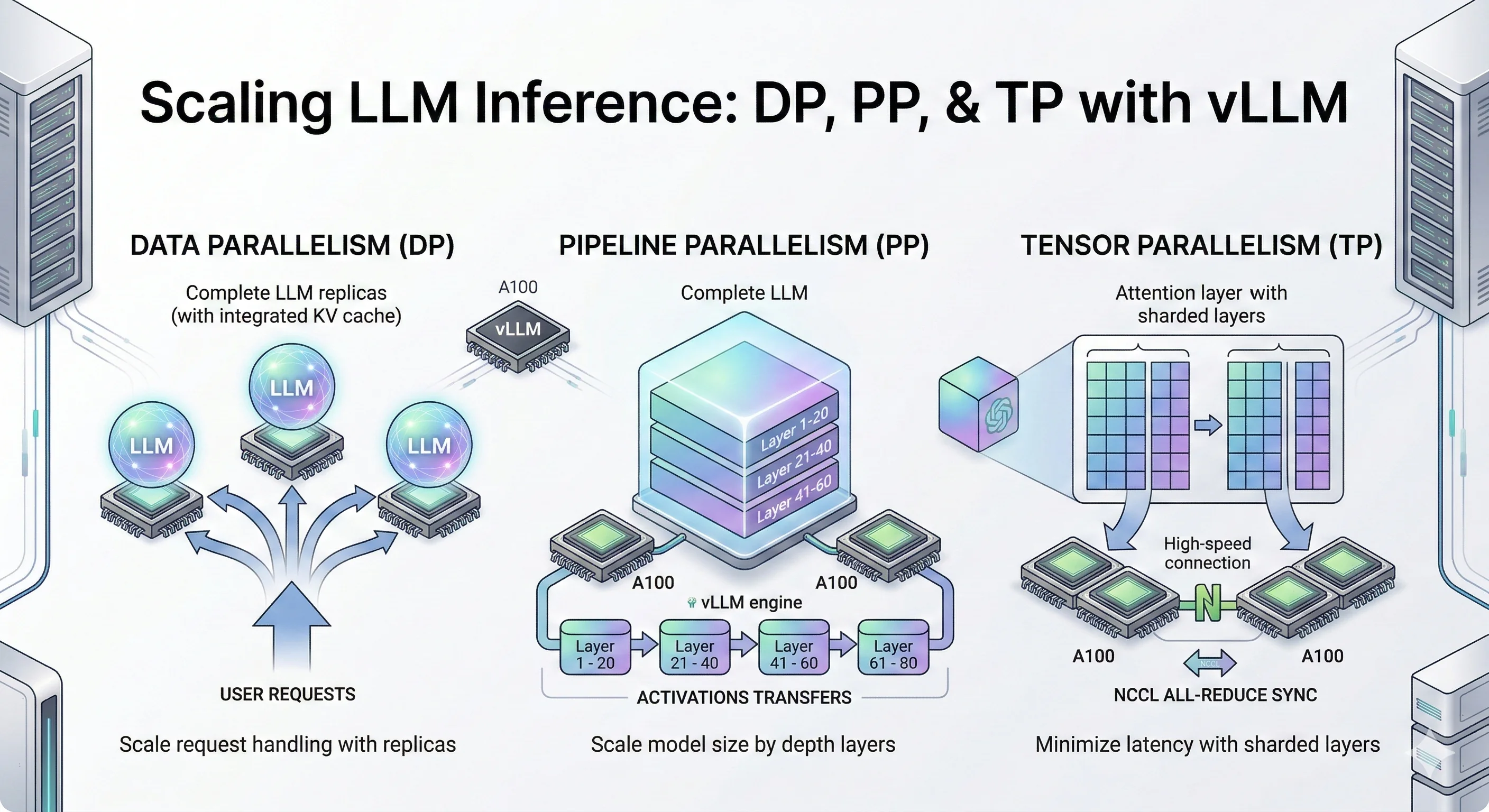
Scaling LLM inference overview showing data pipeline and tensor parallelism strategies

Introduction

When you chat with ChatGPT or Claude, you're interacting with models that have hundreds of billions to trillions of parameters. These models are so large that they simply cannot fit on a single GPU.

Consider this: an NVIDIA H100 has 80GB of memory. A 70B parameter model in FP16 needs ~140GB just for weights that's nearly 2 H100s worth of memory, and we haven't even counted the KV cache for storing conversation context. For trillion-parameter models like those powering ChatGPT and Claude, you'd need dozens of GPUs just to hold the weights.

This is where distributed inference comes in — a core challenge in distributed machine learning. Instead of running the entire model on one GPU, we spread the work across multiple GPUs for multi-GPU AI inference at scale. But how exactly do we split a model? There are several strategies — all forms of model parallelism — each with different trade-offs:

Parallelism Strategies Overview

  • Data Parallelism (DP), also called data-level parallelism: Make copies of the entire model on multiple GPUs. Each GPU handles different user requests. Simple and effective when your model fits on one GPU but you need more throughput.
  • Pipeline Parallelism (PP): Slice the model by layers. GPU 0 runs layers 1-10, GPU 1 runs layers 11-20, and so on. Data flows through GPUs like an assembly line.
  • Tensor Parallelism (TP): Split each layer's matrix operations across GPUs. All GPUs work together on the same request, synchronizing after each layer. Best for low latency when you have fast GPU interconnects.
  • Expert Parallelism (EP): For Mixture-of-Experts models (like Mixtral), each GPU holds different "expert" sub-networks. Tokens get routed to the right expert. Also called vLLM expert parallelism in the context of vLLM's MoE support.
  • Context Parallelism (CP): Split long sequences across GPUs. Each GPU handles a portion of the context, useful for very long prompts.

In this blog, we dive deep into three core LLM inference techniques: Data Parallelism (DP), Pipeline Parallelism (PP), and Tensor Parallelism (TP). These are the foundational LLM inference optimization strategies for vLLM distributed inference and distributed LLM serving that you'll encounter in most LLM serving systems like vLLM, TensorRT-LLM, and SGLang.

We'll cover Expert Parallelism (EP) and Context Parallelism (CP) in future blog posts, along with multi-node distributed inference across machines.

While trillion-parameter models require massive GPU clusters to run, the same parallelism techniques apply to smaller models too. For our experiments, we use Qwen3-32B and Qwen3-14B models small enough to benchmark on a few GPUs, but large enough to demonstrate the real trade-offs between DP, PP, and TP.

Think of these experiments as a scaled-down version of what happens at major AI labs. The principles are identical: when you understand how DP, PP, and TP behave on a 14B/32B model, you understand how they'll behave on a trillion-parameter model just with bigger numbers.

Let's deep dive into each technique.

Key Findings

  • Data Parallelism (DP) scales throughput by ~50% at moderate concurrency (c=120–180) with no inter-GPU communication — the simplest LLM optimization for scaling model inference.
  • Pipeline Parallelism (PP) enables serving models that don't fit on a single GPU, cutting TTFT P99 by 2.5–3× at high concurrency through larger aggregate KV cache.
  • Tensor Parallelism (TP) delivers the best latency across all metrics simultaneously — 3× TTFT improvement, consistent TPOT and ITL gains — but requires fast GPU interconnects (NVLink).
  • The key mental model: If you are limited by request volume, use DP. If you are limited by GPU memory, use PP. If you are limited by compute speed and latency, use TP.

NVIDIA L4 GPU: Price, Specs & Cloud Pricing Guide (2026)

· 13 min read
Vishnu Subramanian
Founder @JarvisLabs.ai

Most conversations about AI GPUs jump straight to the heavy hitters — H100, H200, A100. But here's something I've noticed running Jarvislabs: a growing number of our users don't actually need 80GB of VRAM. They're running Mistral 7B for a chatbot, serving Whisper for transcription, or doing inference on a fine-tuned 13B model. For these workloads, paying $2-3/hr for an H100 is like renting a truck to deliver a pizza.

Here's the short answer if you're in a hurry...

The NVIDIA L4 GPU costs $2,000-$3,000 to buy or $0.44-$0.80 per GPU hour to rent in the cloud (February 2026). It packs 24GB of GDDR6 VRAM into a 72-watt, single-slot form factor with native FP8 support. Jarvislabs offers on-demand L4 access at $0.44/hr with per-minute billing.

NVIDIA L4 vs A100: Specs, Benchmarks, Price & Performance (2026)

· 18 min read
Vishnu Subramanian
Founder @JarvisLabs.ai

The NVIDIA L4 vs A100 comparison comes up constantly, and my answer is always the same: it depends entirely on what you're running. The L4 and A100 are not competitors — they're complementary GPUs designed for very different price points and workloads. Picking the wrong one means you're either overpaying (A100 for a 7B model) or hitting a wall (L4 for a 70B model).

Here's the short answer if you're in a hurry...

Choose L4 ($0.44-$0.80/hr) for serving models under 24GB — it's 3-5x cheaper per hour with native FP8 and 72W power draw. Choose A100 ($1.29-$2.50/hr) when you need 80GB VRAM, 2 TB/s bandwidth, or training capability. Both are available on Jarvislabs with per-minute billing.

vLLM Optimization Techniques: 5 Practical Methods to Improve Performance

· 26 min read
Jaydev Tonde
Jaydev Tonde
Data Scientist

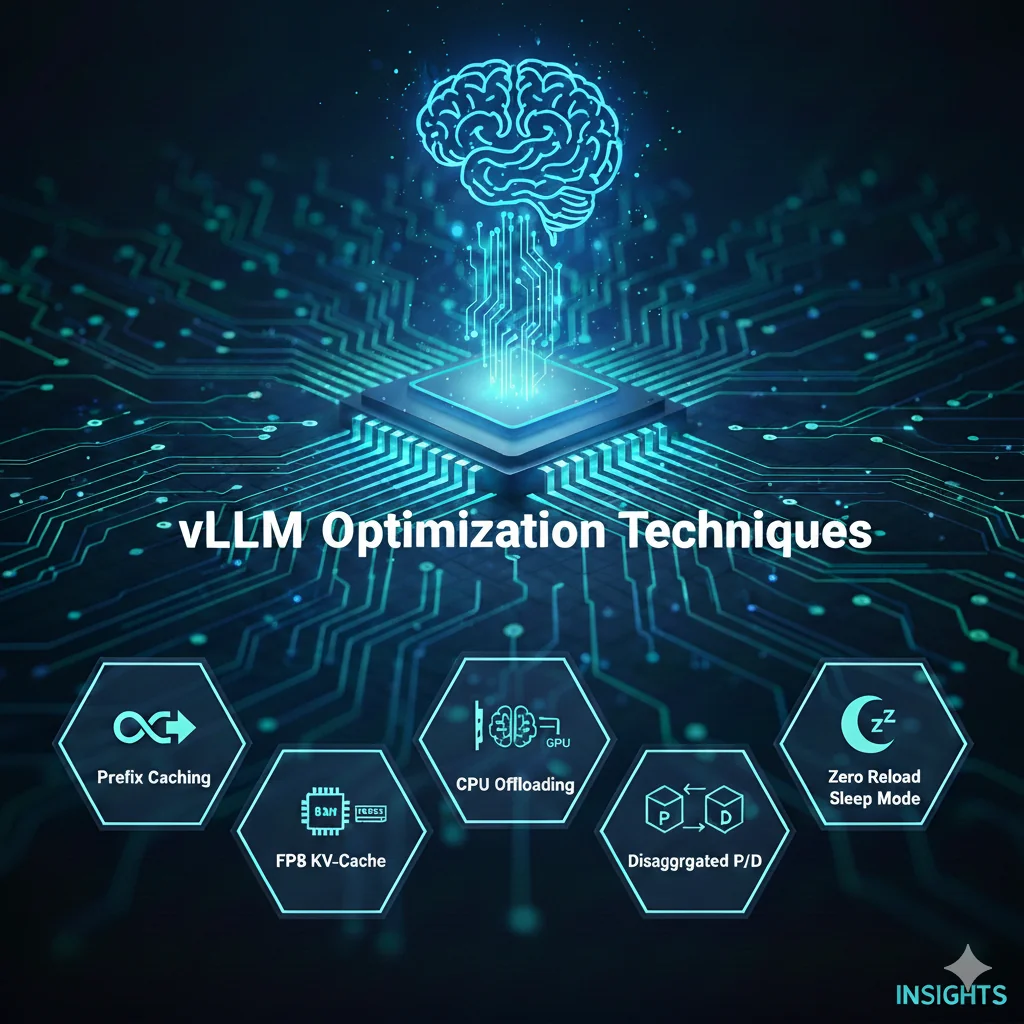
vLLM optimization techniques cover artwork with five performance methods highlighted

Running large language models efficiently can be challenging. You want good performance without overloading your servers or exceeding your budget. That's where vLLM comes in - but even this powerful inference engine can be made faster and smarter.

In this post, we'll explore five cutting-edge optimization techniques that can dramatically improve your vLLM performance:

  1. Prefix Caching - Stop recomputing what you've already computed
  2. FP8 KV-Cache - Pack more memory efficiency into your cache
  3. CPU Offloading - Make your CPU and GPU work together
  4. Disaggregated P/D - Split processing and serving for better scaling
  5. Zero Reload Sleep Mode - Keep your models warm without wasting resources

Each technique addresses a different bottleneck, and together they can significantly improve your inference pipeline performance. Let's explore how these optimizations work.

Disaggregated Prefill-Decode: The Architecture Behind Meta's LLM Serving

· 11 min read
Vishnu Subramanian
Founder @JarvisLabs.ai

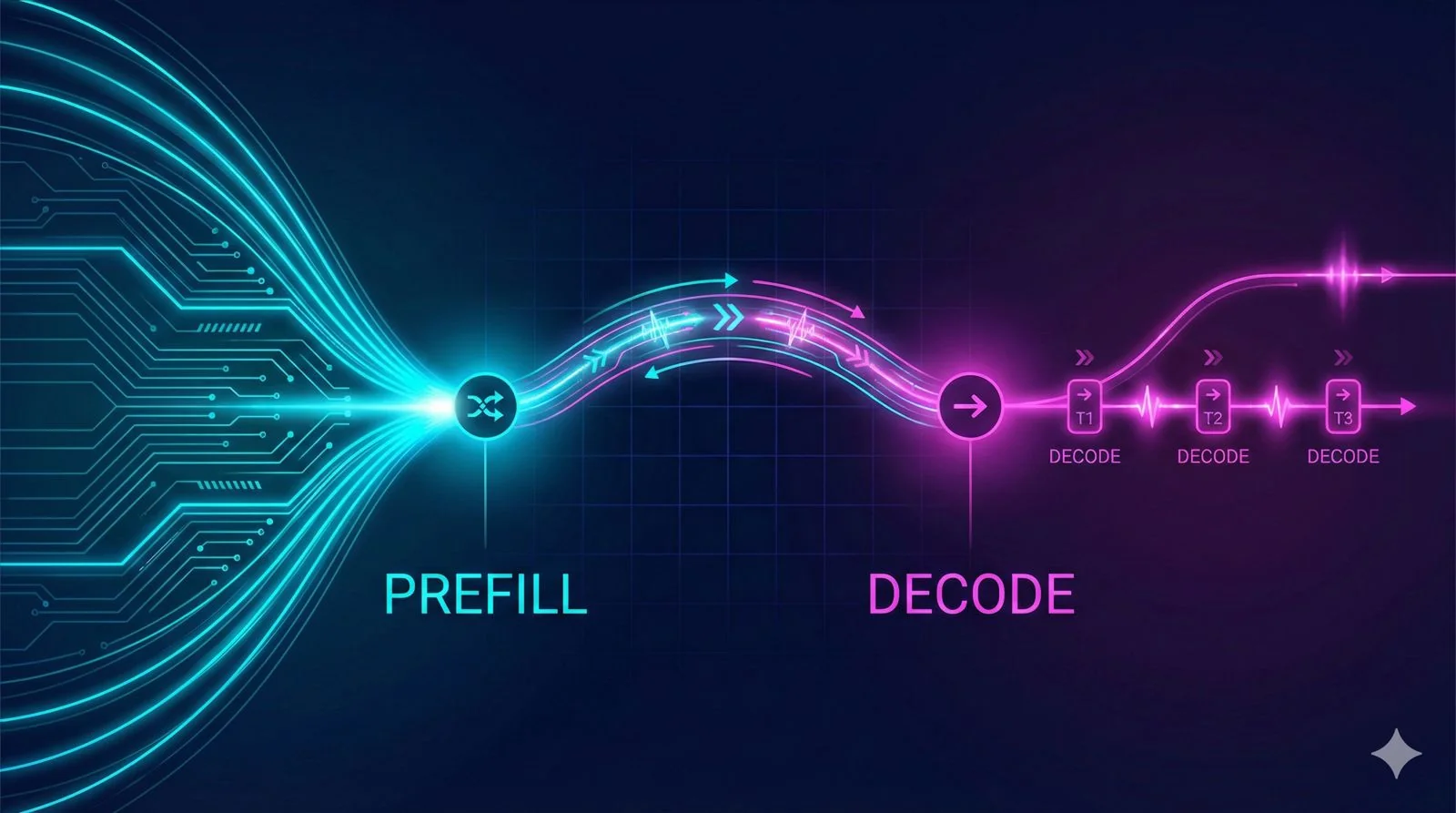
Disaggregated Prefill-Decode Architecture

Why I'm Writing This Series

I've been deep in research mode lately, studying how to optimize LLM inference. The goal is to eventually integrate these techniques into JarvisLabs - making it easier for our users to serve models efficiently without having to become infrastructure experts themselves.

As I learn, I want to share what I find. This series is part research notes, part explainer. If you're trying to understand LLM serving optimization, hopefully my journey saves you some time.

This first post covers disaggregated prefill-decode - a pattern I discovered while reading through the vLLM router repository. Meta's team has been working closely with vLLM on this, and it solves a fundamental problem that's been on my mind.

Speculative Decoding in vLLM: Complete Guide to Faster LLM Inference

· 34 min read
Jaydev Tonde
Jaydev Tonde
Data Scientist

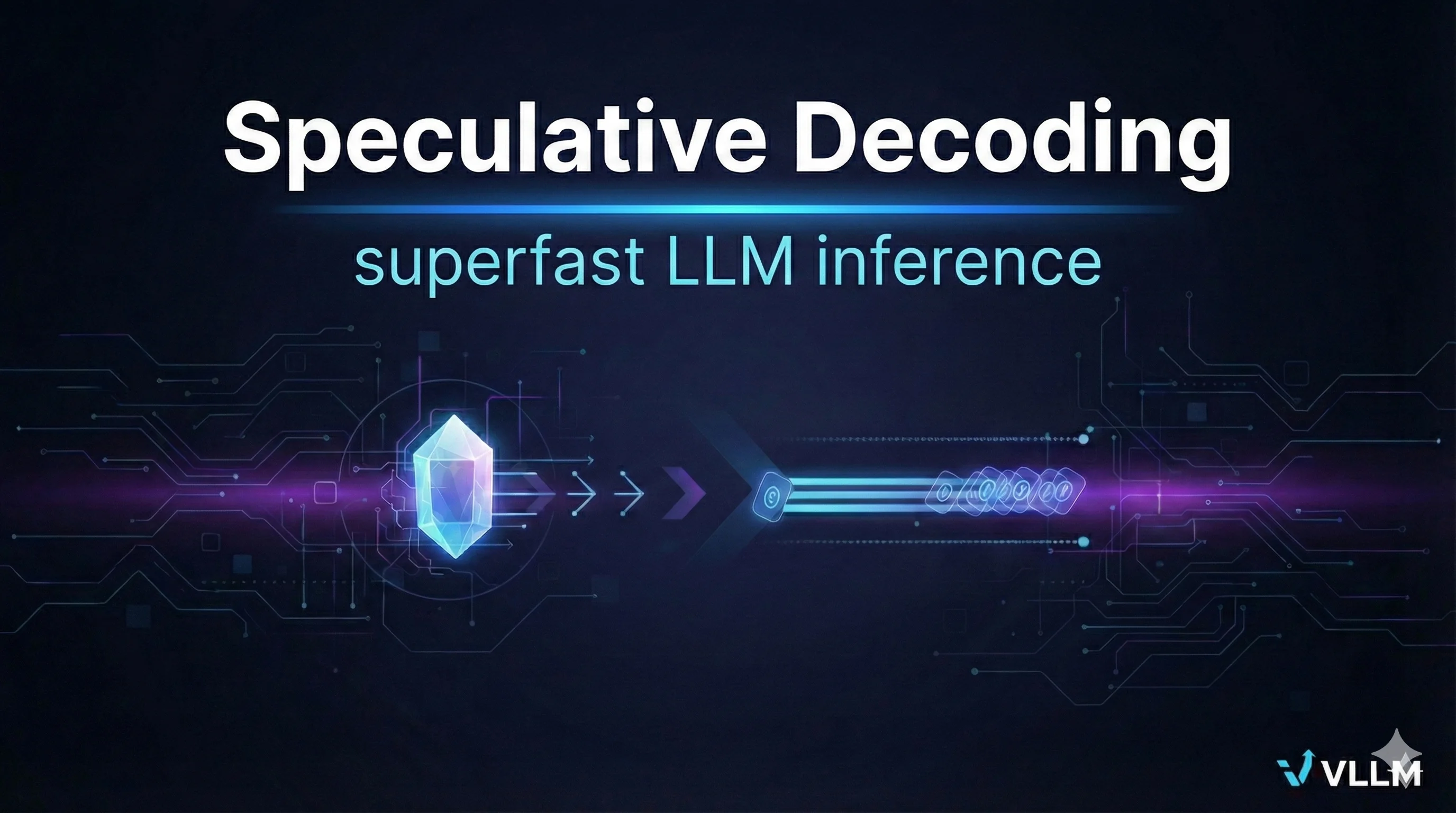
Speculative Decoding vLLM Cover

Introduction

Ever waited for an AI chatbot to finish its answer, watching the text appear word by word slow? It can feel painfully slow, especially when you need a fast response from a powerful Large Language Model (LLM).

The big problem is in how LLMs generate text. They don't just write a paragraph all at once; they follow a strict, word-by-word approach.

  1. The model looks at the prompt and the words it has generated so far.
  2. It calculates the best next word (token).
  3. It adds that word to the text.
  4. It repeats the whole process for the next word.

Each step involves complex calculations, meaning the more text you ask for, the longer the wait. For developers building real-time applications (like chatbots, code assistants, or RAG systems), this slowness (high latency) is a major problem.